
Can You Cash App Yourself? Not Directly, Here’s Step-by-Step Process

POINTS
-
You can’t Cash App yourself from one account.
-
Debit cards can fund your Cash App balance.
-
A second account can let you send money to yourself.
-
Credit card payments have a 3% fee.
-
Standard bank transfers are free.
-
Instant transfers cost a fee.
Cash App supports peer-to-peer payments and transfers between a Cash App balance and linked financial accounts.
Payments can be funded from a Cash App balance or an eligible linked account, subject to applicable account requirements and limits.

Can You Cash App Yourself?
You can’t send a Cash App payment to your own account.
But you can add your own money using a linked bank account or debit card, direct deposit, or paper-money deposits.
Cash App supports these methods for funding your balance without making a self-payment
How to Cash App Yourself?
There are two simple ways to move your own money with Cash App:
- Send funds from one Cash App account to another account you control, or
- Add money directly to your Cash App balance from a linked bank account or debit card
Method 1: Transfer Between Two Cash App Accounts
| Step | What to do | Process |
|---|---|---|
| 1 | Open Cash App | Sign in to Account A, the account sending the money. |
| 2 | Open the payment screen | Tap the $ / payment option. |
| 3 | Enter the amount | Type the amount you want to send. Cash App currently lists $1 as the minimum payment. |
| 4 | Tap Pay | Continue to the recipient-selection screen. |
| 5 | Find Account B | Enter Account B’s $cashtag, phone number, or email. |
| 6 | Verify the recipient | Carefully check that you’ve selected the correct Account B. |
| 7 | Add a note | Add a description if you want. |
| 8 | Confirm the payment | Tap Pay and complete any requested security authentication. |
| 9 | Check Account B | Open Account B and check the Cash balance/Activity to confirm receipt. |
Cash App says payments between Cash App accounts move instantly, and sending from a Cash App balance, bank account, or debit card is free.
Can You Add a Mastercard Gift Card to Cash App?
Find out if your Mastercard gift card works with Cash App—and what to try if it gets declined.
See Your OptionsMethod 2: Add Money Directly From Your Bank or Debit Card
| Step | What to do | Note |
|---|---|---|
| 1 | Open Cash App | Sign in to your Cash App account. |
| 2 | Open the Money tab | Tap Money on the Cash App home screen. |
| 3 | Select Add money | Choose the option to add funds to your Cash balance. |
| 4 | Enter the amount | Type how much you want to add. |
| 5 | Select your funding source | Choose an available linked bank account or debit card. |
| 6 | Confirm | Review the amount and confirm the transfer. |
| 7 | Check your balance | The money should appear in your Cash App balance according to the applicable funding method. |
This is the simpler option if you only want to move your own money into Cash App, since Cash App allows you to add funds directly from a linked bank account or debit card without needing a second Cash App account
Can You Cash App Yourself With a Debit or Credit Card?
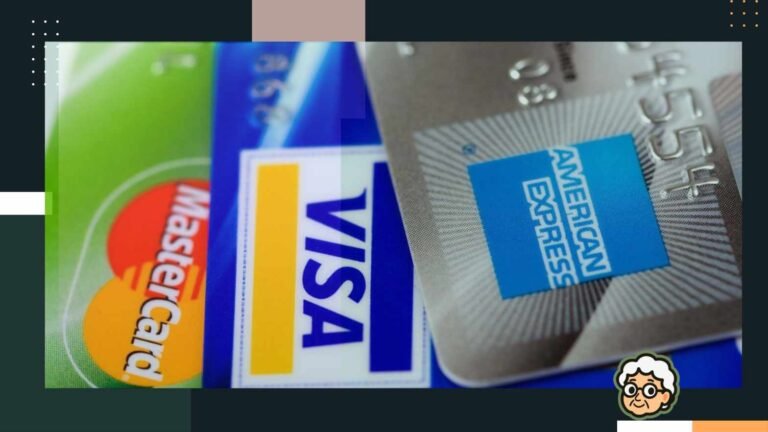
You can use a debit card to add money to your own Cash App balance, but a credit card cannot be used to directly add money to your Cash App balance.
| Funding method | Can you use it? | Fee | Where does the money go? |
|---|---|---|---|
| Debit card → Cash App | Yes | $0 | Your Cash App balance |
| Debit card → another person | Yes | $0 | Their Cash App balance |
| Credit card → Cash App balance | No | — | Not available as a normal Add Money method |
| Credit card → another person | Yes | 3% | Their Cash App balance |
| Credit card → yourself | Not a normal supported method | 3% if processed as a credit-card send | Not directly to your balance |
Are There Fees for Cash Apping Yourself?
Cash Apping yourself can be completely free if you use your balance/debit card and choose a standard bank transfer.
| What you do | Fee | For “Cash Apping yourself” |
|---|---|---|
| Send using Cash App balance | $0 | Free |
| Send using linked debit card | $0 | Free |
| Add money from linked bank | $0 | Free |
| Receive money | $0 | Free |
| Standard transfer to your bank | $0 | Free — typically 1–3 business days |
| Instant transfer to your bank | 0.5%–2.5% | Fee applies |
| Send using credit card | 3% | Fee applies |
How Long Does It Take to Cash App Yourself?
Cash App-to-Cash App payments are instant, while transfers to a bank can take 1–3 business days unless you choose the paid Instant Transfer option.
| How you move the money | Typical time | Fee |
|---|---|---|
| Cash App → Cash App | Instant | $0 |
| Add money from debit card | Usually instant | $0 |
| Add money from bank | 1–3 business days | $0 |
| Cash App → bank (Standard) | 1–3 business days | $0 |
| Cash App → bank (Instant) | Minutes | Fee applies |
| Direct deposit | Up to 2 days early | $0 |
What Are the Alternatives to Cash Apping Yourself?
If Cash App’s methods are inconvenient or limited, you can move money to yourself using other services.
| Service | Fee | Speed | Best for |
|---|---|---|---|
| Cash App | $0–3% | Instant–3 business days | Everyday P2P transfers |
| Venmo | $0–3% | Instant–3 business days | P2P payments & splitting bills |
| Zelle | Usually $0 | Usually minutes | Bank-to-bank transfers |
| PayPal | Varies | Minutes–1+ business days | Flexible & larger payments |
| Bank ACH | Usually $0 | 1–3 business days | Moving money between your own banks |
| Bank wire | Often $25+ | Usually same day | Large, urgent transfers |
- Zelle: Best for fast bank-to-bank transfers, typically with no fee, but both parties generally need eligible U.S. bank accounts on the Zelle network.
- Venmo: Well suited for social and person-to-person payments, with options to transfer money out.
- PayPal: Offers broad flexibility, including business use, though fees may apply to certain card-funded transactions.
- ACH and wire transfers: Often better suited for moving larger amounts between your own accounts.
Cash App Self-Transfer FAQ
No, Cash App doesn’t let you send money to your own account using your own email, phone number, or $Cashtag.
You can add money from a linked bank account or debit card or use direct deposit, but you can’t send money within the same account.
No, moving your own money between your own accounts generally isn’t taxable income.
Cash App’s regular P2P limits apply, with unverified accounts generally limited to $250 per week in sending and $1,000 per month in receiving.
Yes, P2P transfers to another Cash App account are typically free and instant, while instant bank transfers and some ATM withdrawals may have fees.
Check that both accounts are active and verified and that the receiving account isn’t blocked, then contact Cash App Support if the payment remains pending.
A refund typically returns the money to the original payment source, so it’s better to use a direct transfer instead of relying on refunds.
References:



2 Comments